
Publish the experience
Give guests the date, venue and ticket options they need to choose confidently.
SparkGlim Ticketing
Bring the experience together, from the first booking to the final arrival. Ticket sales, payments and admission, with one event record.

The audience experience
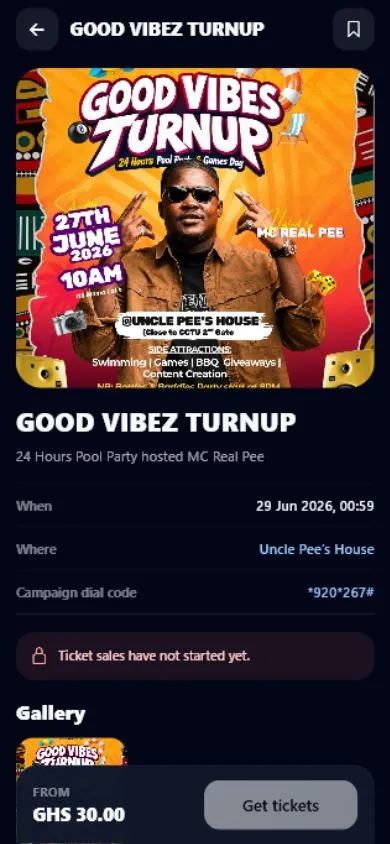
App preview. Event information shown is illustrative of the existing interface.
From discovery to the door.
Give guests the date, venue and ticket options they need to choose confidently.
Guests select their tickets and use the event’s available checkout. Payment confirmation controls paid ticket issuance.
Keep QR tickets, assigned team access and admission records connected when doors open.
A clear ticket. A prepared team.
Define the offer clearly: ticket types, prices, allocations and the access each ticket includes.
Explore ticket typesCheckout shows the available methods and the confirmed total. Country selection never changes an event’s selling currency.
Understand paymentsReview attendee records, ticket sales and check-in activity through the existing creator tools.
Explore creator tools
At the entrance
Use the recorded ticket state to guide admission. Your authorized team handles check-in; public ticket verification never grants staff access.
Explore entry operationsFor audiences. For organizers.
Find events and keep purchased tickets close at hand.
Explore the Audience AppPrepare campaigns, coordinate your team and manage entry using the existing creator experience.
Explore the Creator AppTickets are issued after the payment is confirmed. A pending payment or browser return is not a completed purchase.
Available methods depend on the event’s configured selling country, currency and payment provider. Checkout is the source of the final available options and fees.
Use the verification link supplied with the ticket. Admission and staff check-in remain permission-controlled actions.
Assign the supported team roles, prepare your devices and review ticket types and entry instructions before the event.
Start with your event, then connect ticket sales, audience access and your team’s operation.
Ticketing guides
Explore SparkGlim Ticketing
Discover events, explore the details, and choose the tickets that suit your plans.
Try another search, change the filters, or come back for new public events.
Clear filters